

Explanation:
This plugin to Streamdeck configures Streamdeck with many WireCAD commands.
Installation:
This assumes that you have first installed the Streamdeck software, and have a working copy of WireCAD v10.1.26.0210
- Download the Streamdeck plugin here.
- Unzip the file.
- Double-click the file (com.wirecad.plugin.streamDeckPlugin) to install.
- Streamdeck will prompt you to install the plugin and any profiles that match your device.
- Open WireCAD.
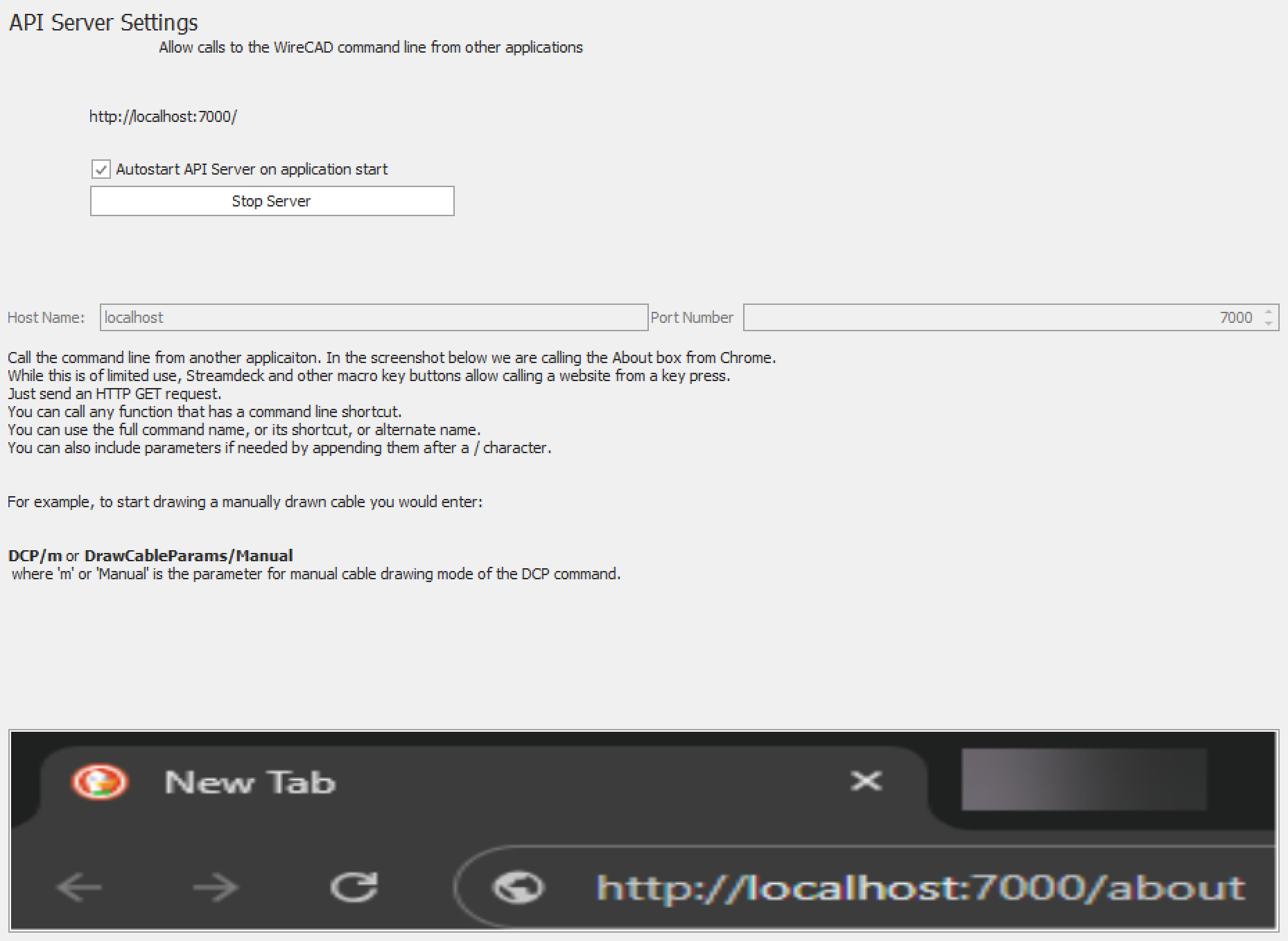
- Click Application Menu>Settings.
- Then [Application] settings section>API Server
- Set the HostName and Port. It is not recommended to change the HostName unless you are prepared to edit you computer's Hosts file as well.
- Start the API Server.
- Test commands on the Streamdeck.
Compatibility:
The Streamdeck plugin relies on the WireCAD API Server. This function is available only in WireCAD v10.1.26.0210 and later.
Streamdeck Plugin Help
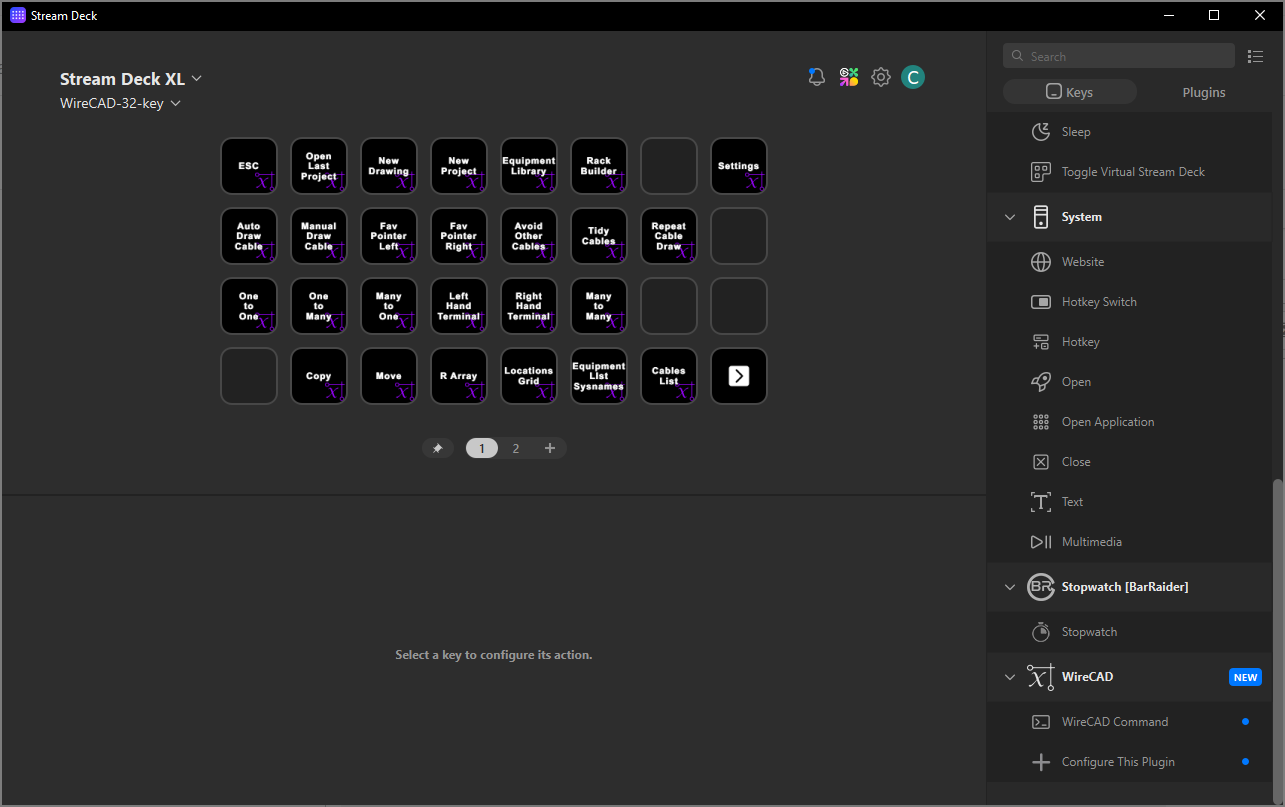
Once you have installed the WireCAD plugin into Streamdeck it comes preconfigured with many common commands.
You can further customize the interface by adding your own buttons with other commands.
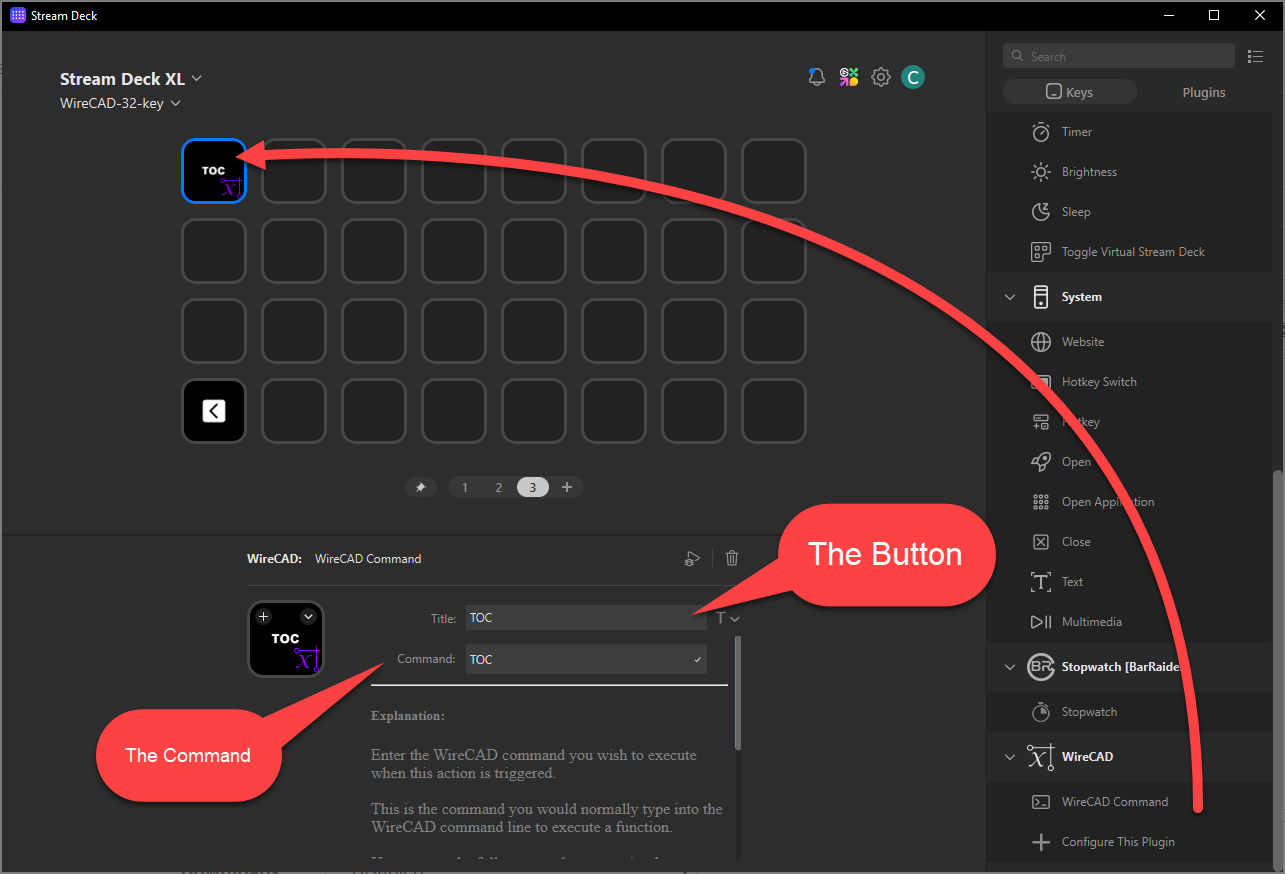
Adding Your Own Command
- Drag a WireCAD Command action to a vacant button.
- Edit the Text - the button text. This is a multiline text object.
- Edit the Command. If you are not sure what the command syntax is, you can execute the command directly in WireCAD and then check the Commandline History for the command name.
Editing the Plugin Configuration
Plugin settings must match those of the WireCAD API Server. You only have to configure these settings if you have not used the default settings in WireCAD.
- Drag a "Configure This Plugin" action onto a vacant button space.
- Edit the HostName and Port to match that of the WireCAD API Server.
- Test any other WireCAD Command button to verify that it is communicating properly with WireCAD.
- Remove the "Configure This Plugin" action from the page. You will not need it again unless the WireCAD API Server settings change.
Streamdeck Integration Plugin
- Product Code: SDPI
- Availability: In Stock
-
$0.00